
Three documents you need
If you want to change the compliance officer for your massage establishment, you will need to submit these three documents:
- A signed, notarized CORI Acknowledgement form from the new proposed compliance officer.
- A written statement from the establishment owner requesting to remove the current compliance officer (include their name and license number) and replace them with the new proposed compliance officer (include their name and license number), and the date that change takes effect.
- A completed Statement by Compliance Officer form by the new proposed compliance officer.
Two ways to change your compliance officer – overview
- You can change your compliance officer when you renew your business licenses as part of the license renewal process in DOL’s eLIPSE system.
- You can change your compliance officer any time by submitting a general eLIPSE support request.
How to do it
1. Changing compliance officer during license renewal
After you review and confirm your Business Details, eLIPSE will display the Compliance Officer Information screen:
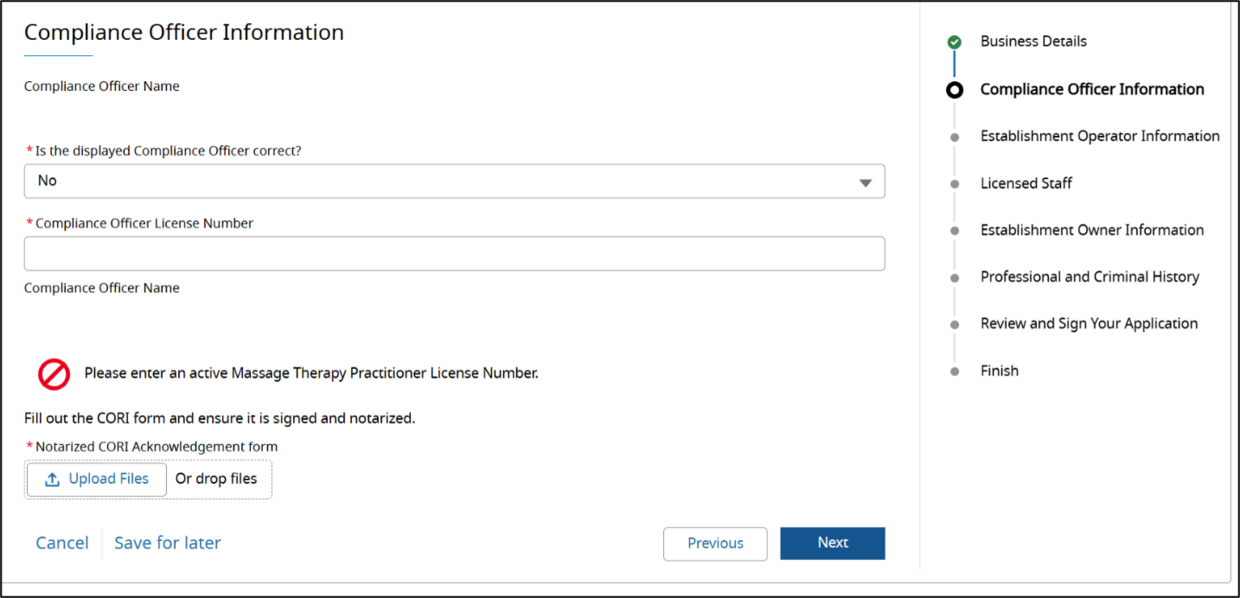
- The first line is the name of the current Compliance Officer.
- For the question Is the displayed Compliance Officer correct? Select No.
- Enter the new proposed Compliance Officer’s license number.
- eLIPSE will look up the license and display the license holder’s name.
Click the license holder’s name in the list that appears (even if it is just 1 person.) - Upload the three documents listed above.
- Click the Next button.
Then, continue with the renewal process.
What happens next?
After you complete the renewal process (when you pay the renewal fee), the Board of Registration of Massage Therapy will review your request to update the compliance officer and contact you with a decision.
2. Changing compliance officer outside of license renewal
You can request to change your compliance officer any time using this method.
- The establishment owner logs in to eLIPSE.
- At the top of any eLIPSE page, click REQUEST SUPPORT:

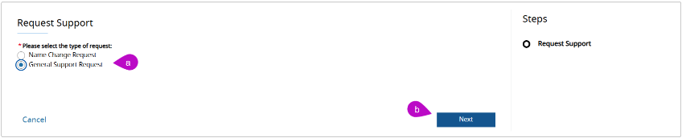
- eLIPSE displays the Request Support box:
- Click the General Support Request radio button.
- Click Next.
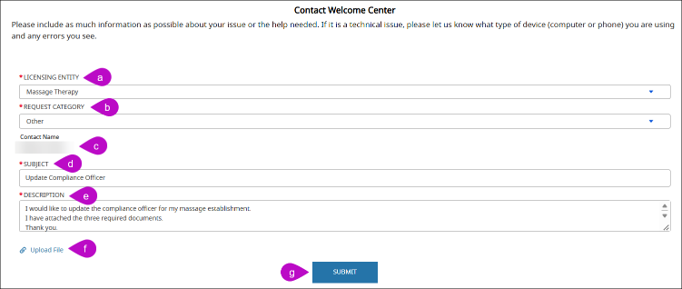
- eLIPSE displays the Contact Welcome Center form:
- For LICENSING ENTITY, select Massage Therapy.
- For REQUEST CATEGORY, select Other.
- eLIPSE will display the Contact Name.
- For SUBJECT, you can enter what is in the example below, or something similar.
- For DESCRIPTION, you can enter what is in the example below, or something similar.
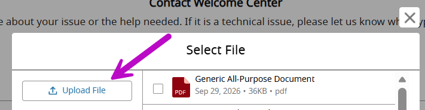
- Use the Upload File control to upload the three documents. eLIPSE will display a Select File box. Use the Upload File button in the box to locate the documents on your computer.
- Click SUBMIT.
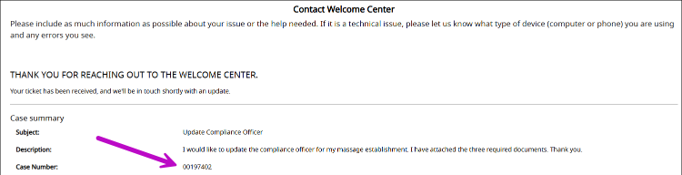
- eLIPSE displays a confirmation of your request. DOL’s Welcome Center will forward your request to the Board of Registration of Massage Therapy for review, and the Board will contact you with a decision.
Note down the Case Number on the confirmation screen. It will be very helpful if you need to contact the Board about your request.
Questions?
If you have more questions about renewing a license or permit, please contact the appropriate board.
Next steps
The Board Staff will review the submitted application and reach out if further information is needed.