

Printing a receipt for your payment
If you paid for a license application or renewal and you would like to print a receipt for it, here’s how:
- Log in to eLIPSE using your MyMassGov account.
- On any eLIPSE page, in the top banner, hover on My Dashboard and click Individual Applications.
- eLIPSE displays your Individual Applications page. If you have submitted multiple applications in the past, your most recent application should be at the top of the list. If it isn’t, click the Applied Date column header so that its arrow points down. That sorts the list.
Then, in the first column, click the Application ID.
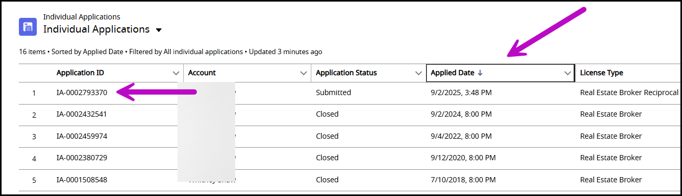
- eLIPSE displays your application record. On the right side of the screen, in the Regulatory Transaction Fees box, in the first column click the fee ID number.

- eLIPSE displays details about the fee. On the right side of the screen, in the Payments box, your most recent payment is the last one in the list. Click the Payment Id,
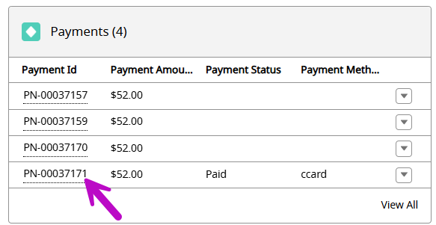
- eLIPSE displays details about the payment. On the top right side of the details, click the Printable View control.

- eLIPSE opens a new browser tab that displays the payment details. In the top right corner of the page, click Print This Page.
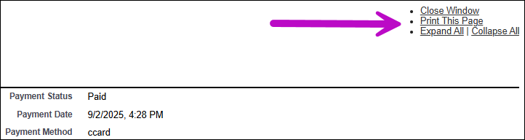
You will see your usual printing page. Proceed with printing as usual.
Contact
Online
Phone
MassRelay (TTY & ASCII)
Call Division of Occupational Licensure, MassRelay (TTY & ASCII) at 711