

If your board has not migrated to the eLIPSE platform, you must use the ePlace portal to check a license. For a list of migrated boards, see the Division of Occupational Licensure: Check a license page.
Before you get started
- DOL no longer accepts paper applications for variances. Apply for variances online using eLIPSE. You need a MyMassGov account to log in to eLIPSE. If you do not have one yet, you can refer to other guides to help with that on the page where you found this guide.
- As of February 1 2026, you can only apply for Plumbing and Gas Fitting variances, Special Permission, and Vocational projects. More will be available in the future.
- You do not need to include a response from the local Board of Health on your application. Notify the Health Agent via email, save an online copy of the email you sent, and attach that online copy to your Plumbing Variance application.
How to do it
- Log in to eLIPSE using your MyMassGov account.
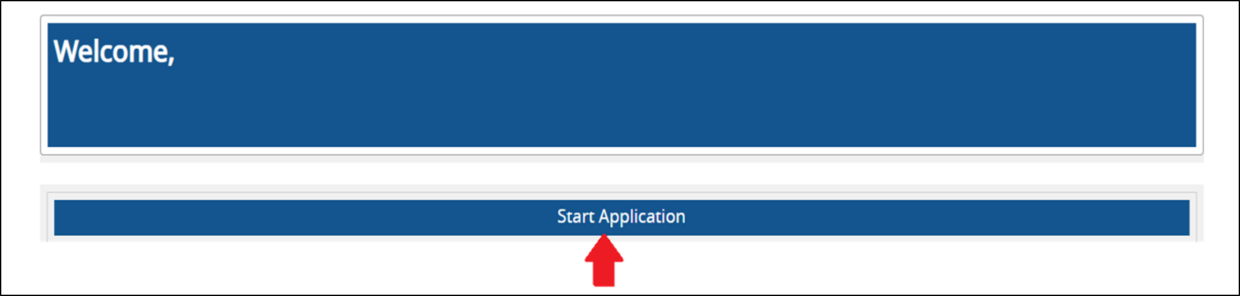
- On your eLIPSE Home page click the Start Application control:
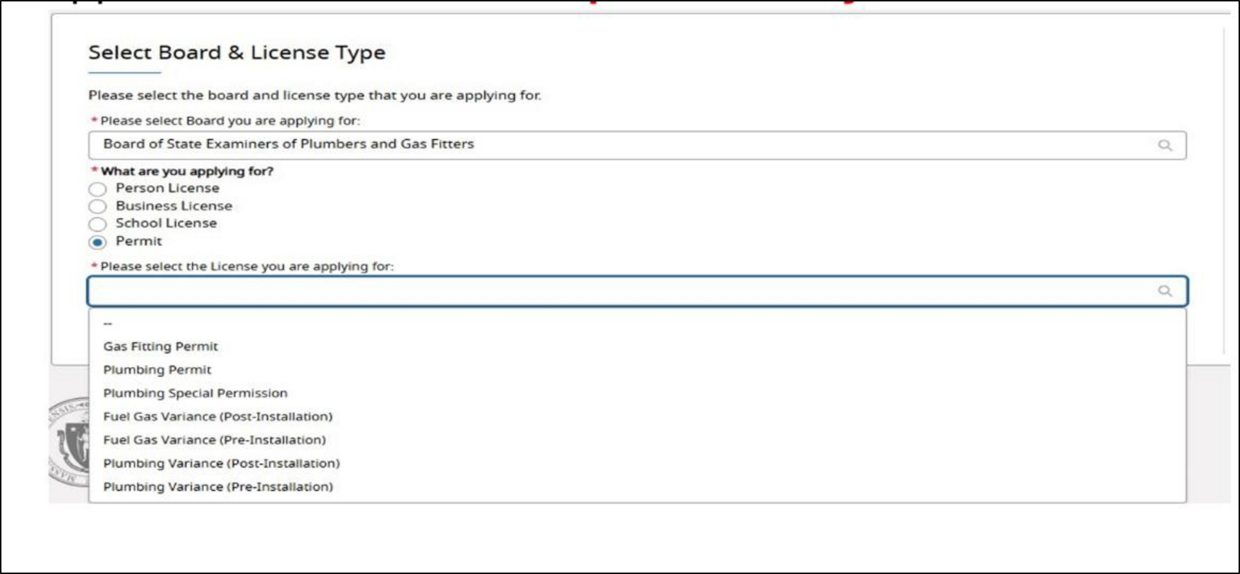
- eLIPSE displays the Select Board & License Type screen.
- Use the first drop-down to select Board of… Plumbers and Gas Fitters.
- In the What are you applying for list, select the Permit radio button.
- In the second drop-down list, select the application you are applying for (variances appear in that list.)
- Complete the information required for the variance.
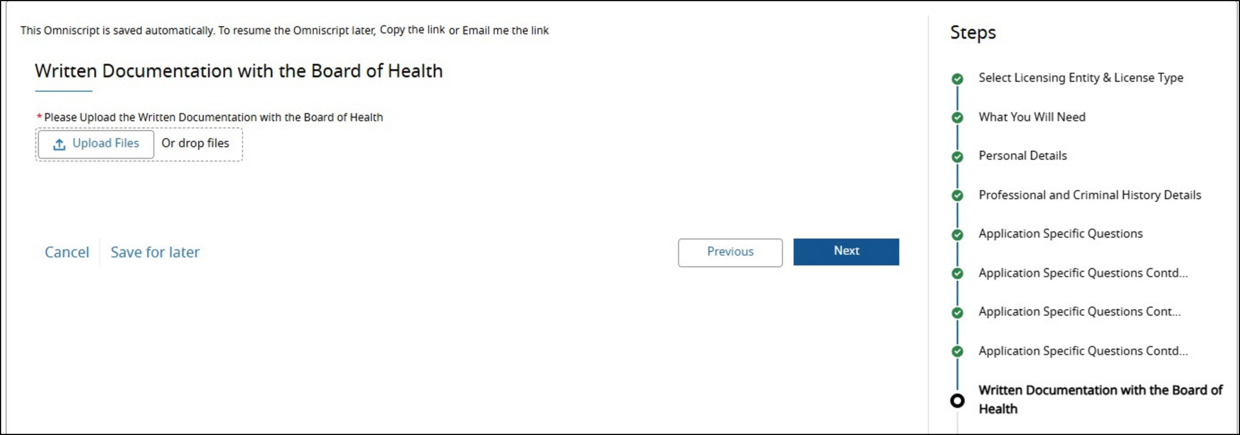
This is the screen where you upload the Board of Health petition:
- Pay for the variance application.
Next Steps
The Board Staff will review the submitted application and reach out if further information is needed.
Contact
Online
Phone
MassRelay (TTY & ASCII)
Call Division of Occupational Licensure, MassRelay (TTY & ASCII) at 711