
How to upload additional documents
After you have submitted an application of some kind, if your Board needs you to provide another document, you will receive an email like this one, from NO REPLY, with a subject line like Information Needed – [what you applied for]:
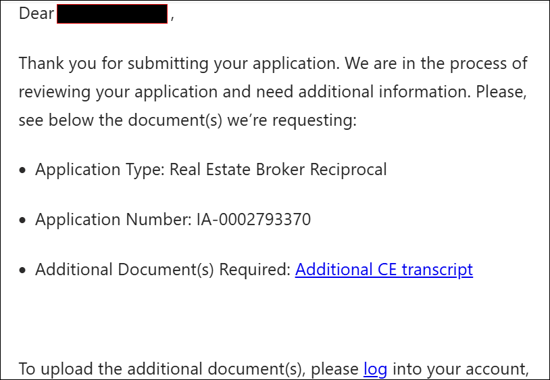
Click the log link.
You will be taken to log in to your MyMassGov account. After you log in, you will be taken directly to a page to upload the document, like this one:
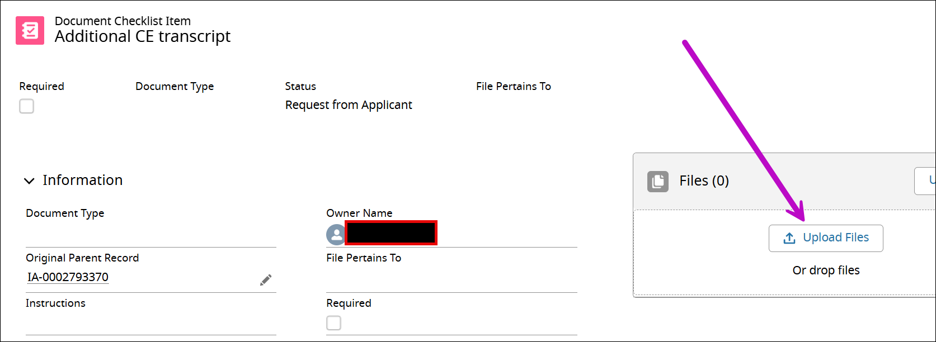
If the Board has any special instructions for this file upload, they will be in the Instructions box on the left side of the page.
On the right side of the page, click the Upload files button, and upload your document file as usual.
Questions?
If you have more questions about uploading additional documents, please contact the appropriate board.
Contact
Online
Phone
MassRelay (TTY & ASCII)
Call Division of Occupational Licensure, MassRelay (TTY & ASCII) at 711