

What is a Numerical Rating Summary Sheet (NRSS)?
The NRSS is where we list your projects that have been evaluated.
You will be able to see which projects will not be falling outside of the lookback period and if one or both of your highest dollar projects are in that category. This will give you time to make you able to collect the needed evaluations to maintain your single project limit.
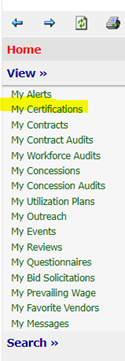
When you log into you DCMS account you will be at your Dashboard
Go to View on the left Navigation Menu
Select My Certifications
When you click My Certifications, it will bring you to your Vendor Profile

When you are in your Vendor Profile: Certifications you will see your Applications section.
Under Actions
Select View on your most recent application
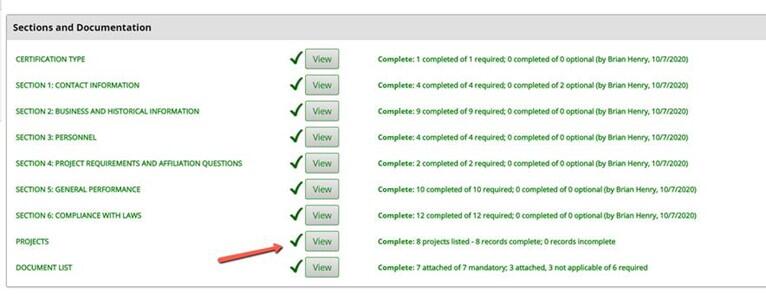
On the Projects section Select the View
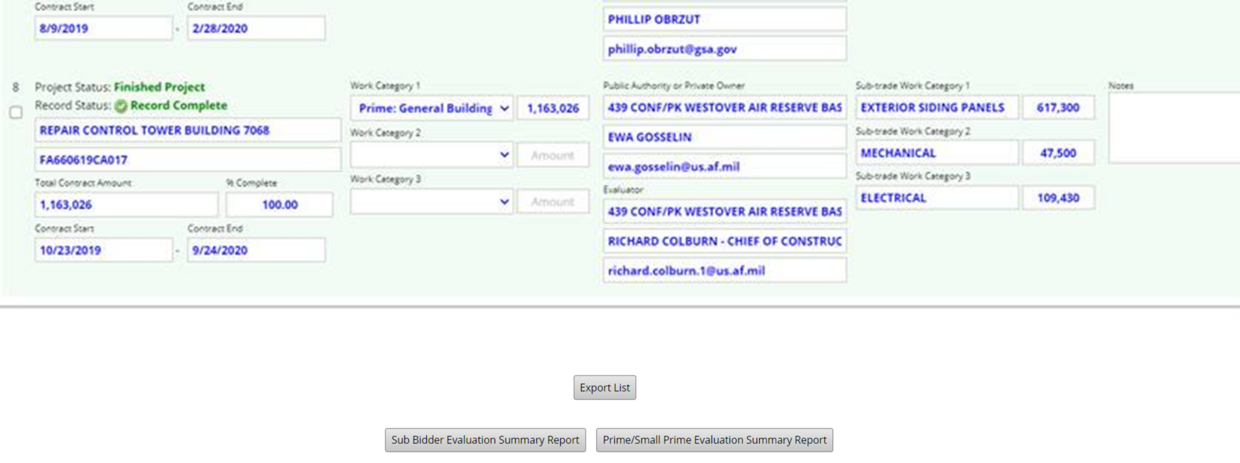
That will bring you to your projects table

At the bottom of the screen you will see 2 buttons; 1 for the Filed Sub Report Summary (Filed Sub NRSS) and 1 for Prime/Small Prime Report Summary (Prime/Small Prime NRSS)
Select the button that applies to your certification
If you are Prime and Filed Sub Certified, you will have to select each button for the appropriate NRSS
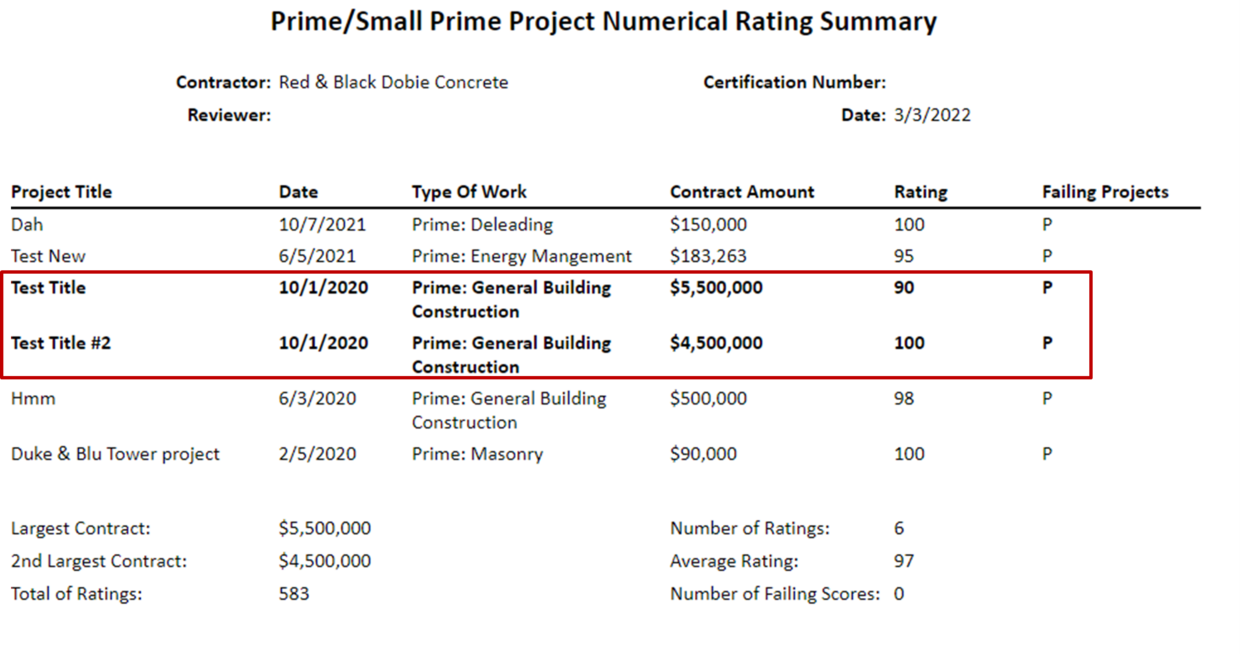
The two bold projects in Prime/Small Prime are the two highest projects we have on file.
Look Back Periods to keep in mind:
Prime / Small Prime has a 5 years back from the current year
Filed Sub Bidder has a 3 years back from the current year