
Create an Account
- You must create an account at the SAFIS Website prior to using eTRIPS mobile.
- SAFIS is a website operated by the Atlantic Coastal Cooperative Statistics Program (ACCSP).
- To create an account go to: SAFIS Account Creation
- If you cannot create an account, please contact us.
- A video tutorial to create an account is available from ACCSP at: SAFIS Self-Account Creation Tutorial
Logging into SAFIS
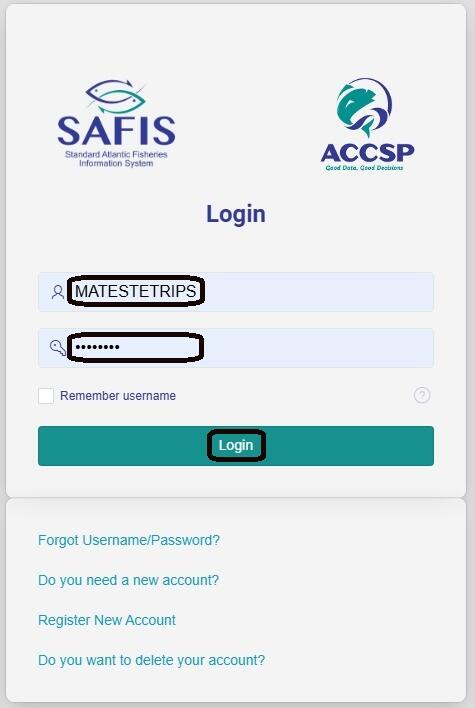
- Navigate to the SAFIS Login page found at the following link: SAFIS Login
- Enter your username and password then select Login.
- If you need to reset your password, select the Forgot Username/Password? button.
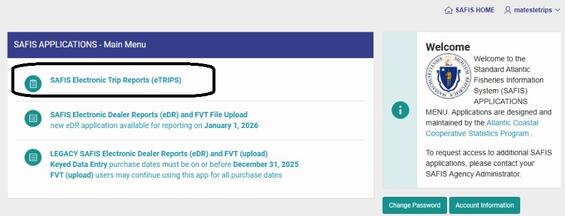
SAFIS Applications Main Menu
- From the SAFIS Main Menu select the SAFIS Electronic Trip Reports (eTRIPS) application
eTRIPS Home
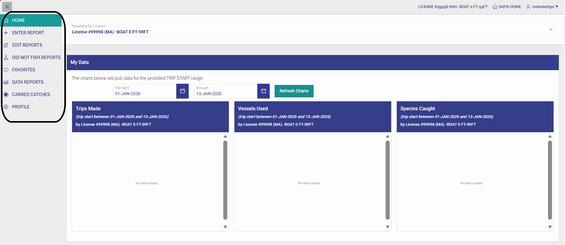
- After selecting eTRIPs application, you will land on the eTRIPS home page.
- There are summary charts on this page of past submitted trips.
- There is a menu of options that is used to navigate eTRIPS including: Enter Report, Edit Reports, Did Not Fish Reports, Favorites, Data Reports, and Profile.
- If you have submitted trips with carred catch in the past, there will also be a Carred Catches menu item.
Favorites
Prior to entering a report, you must go to Favorites and complete the account set up.
- Favorites are default settings for trip report entry.
- Favorites are broken up by sections of a trip report.
- To enter a trip-level report for Massachusetts the following must be completed: Favorite Trip Headers, Favorite Efforts, Favorite Species, and Favorite Dealers.
Video: eTrips Online Favorites
Skip this video eTrips Online Favorites.Enter Report
- This section provides instructions for entering a positive trip-level report.
- A positive report means you attempted to harvest using your commercial fishing permit.
- If you did not catch anything during a trip you will enter a report with no catch.
- Follow the tutorial video for assistance.
Did Not Fish Report
- Did not fish reports should be submitted for dates that you did not fish.
- Did not fish reports can be submitted for multiple dates at a time.
Video: Did Not Fish Reports
Skip this video Did Not Fish Reports.Contact
Address
30 Emerson Ave, Gloucester, MA 01930