Massachusetts District Attorneys Association - Appendix A

Case Management System Illustrations

Below are screenshots taken of the case management system used by the District Attorneys.

Main Screen Directory
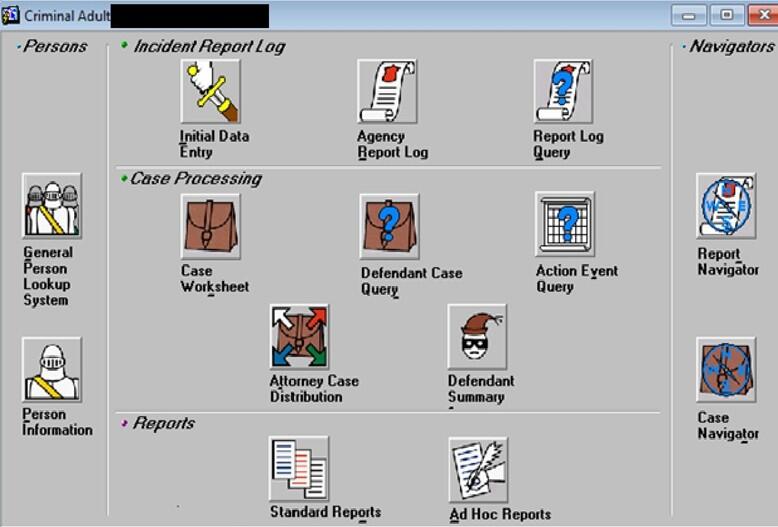
This object is an image showing the case management system’s main screen directory. This screen has interactive icons with which a user can access other areas of the software using a mouse or keyboard. These icons are all grouped together by function. More information in caption.
The icons have the following labels: • Under the Persons group: o General Person Lookup System and o Person Information. • Under the Incident Report Log group: o Initial Data Entry; o Agency Report Log; and o Report Log Query. • Under the Case Processing group: o Case Worksheet; o Defendant Case Query; o Action Event Query; o Attorney Case Distribution; and o Defendant Summary. • Under the Reports group: o Standard Reports and o Ad Hoc Reports. • Under the Navigators group: o Report Navigator and o Case Navigator.

Typical Input Screen to Perform Queries on Individuals
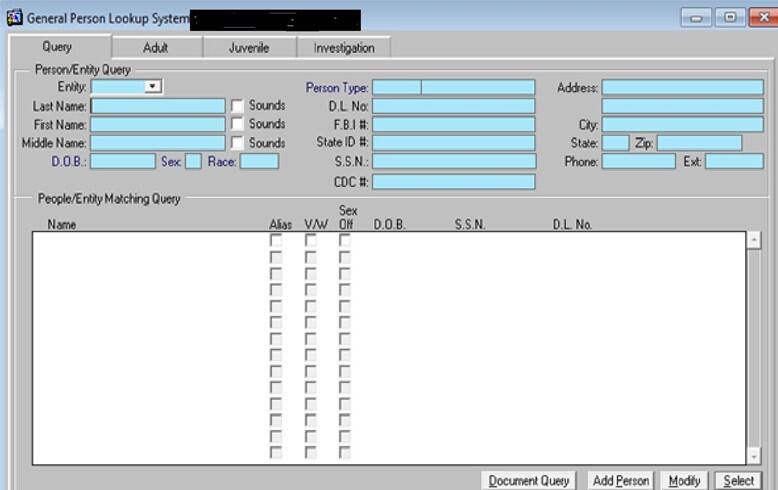
This object is an image showing the case management system’s general person lookup system module. The module has different fields for the user to query specific people, such as name, date of birth, address, and any known aliases.
Date published: November 17, 2025

Help Us Improve Mass.gov  with your feedback

Please do not include personal or contact information.
Feedback
