
Thoughtful use of the MassHire fonts help give structure to content and ensure clarity for users.
Typeface
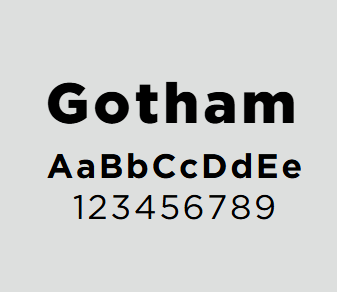
Gotham
The preferred typeface for MassHire materials.
MassHire has purchased the Gotham font, and partners and staff can download it for free from the link below.
Download Gotham font
-
Open ZIP file, 741.4 KB, MassHire Gotham Font (English, ZIP 741.4 KB)
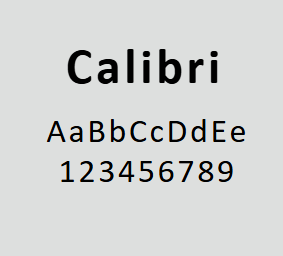
Calibri
Can be used as an alternate font if Gotham is not available.
Calibri is available in Microsoft Word and Powerpoint by default.
Type styles
Using type styles consistently makes content easier to scan and navigate, helping create clear and trustworthy experiences.
There is some flexibility in how font styles and colors are used by MassHire partners. Regardless of implementation style, you should:
- Be consistent across your materials and assets.
- When using colors in combination with each other, use a contrast checker to ensure accessibility.
- Never use accent orange as a text color or as background for text.
Headings

- Font: Gotham Black or Calibri Bold.
- Color: Primary MassHire colors on a white background or white text on a blue or green background.
- Style: All uppercase is preferred.
Subheadings

- Font: Gotham Bold or Calibri Bold.
- Color: MassHire blue on a white background is a common choice. Do not use MassHire green on a white background.
- Size: At least 16px in size, but not larger than the heading font.
Body copy

- Font: Gotham Book or Calibri Regular.
- Color: Black against a white background. MassHire blue against a white background can be used sparingly. Do not use MassHire green, secondary colors, or accent colors.
- Size: At least 12px in size. Anything smaller than 12px will be difficult for people to read, especially in printed materials.
Interactive elements

Clickable links and buttons on websites can use a combination of font styles and colors, including primary, secondary, and accent colors.
For example, you might choose:
- MassHire blue buttons with white text
- Buttons that change colors on hover
- Dark blue text links on a white background
- Text links that change color on hover
These are all okay. Be sure to use a contrast checker no matter what colors you choose.