
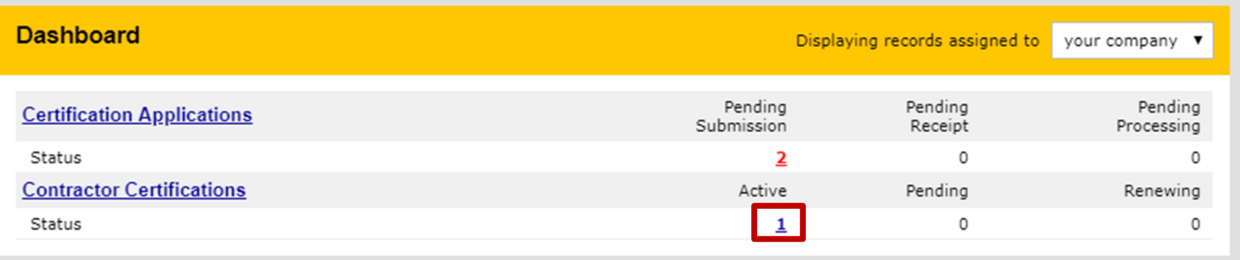
- Log into the DCMS portal
- On your Dashboard, click Contractor Certifications hyperlink
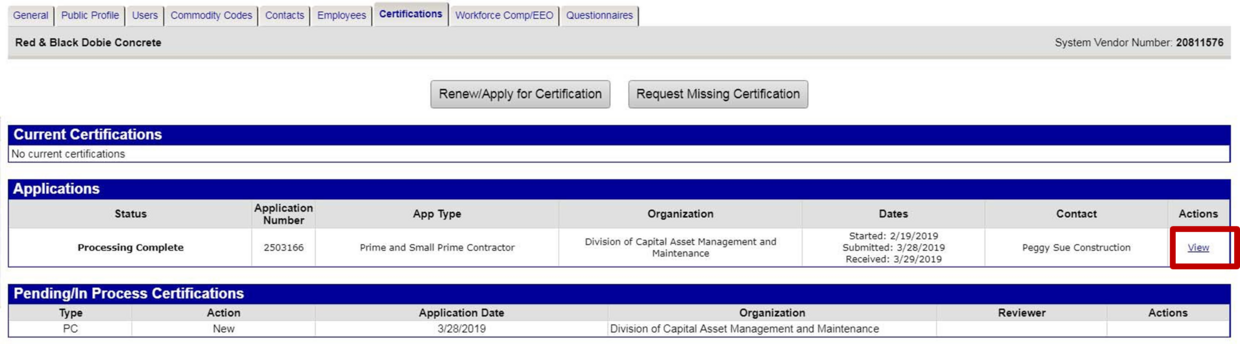
- It will bring you to your Vendor Profile: Certifications.
- You will see your most recent application and under actions click the view hyperlink
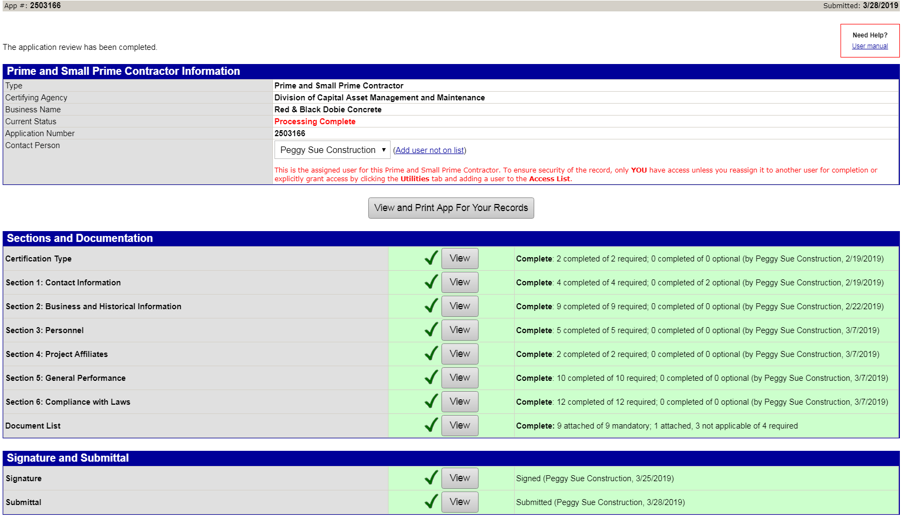
- You will be brought to Certification Application: Main Summary
- Click the view button on the signature line
- Click Print this Page at the bottom of the page
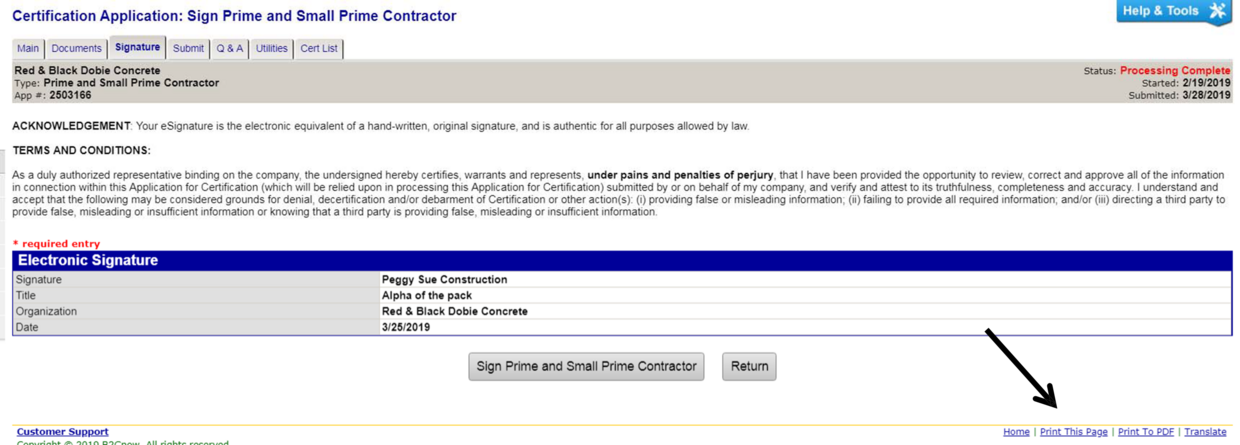
- You will be brought to the signature only page
- You will see you have a header and footer on showing on your document (Black Arrows)
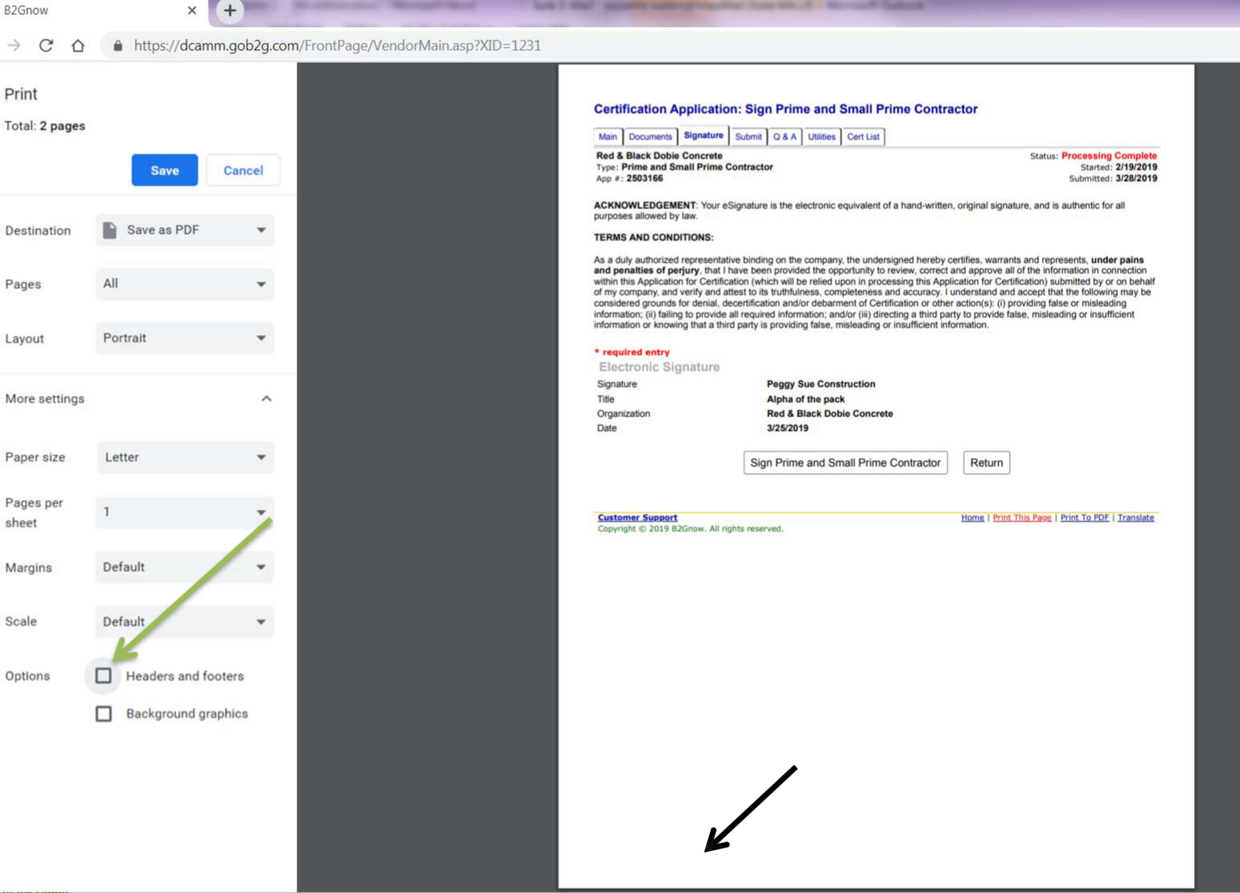
- To remove them uncheck the Headers and footers under the Options section (green arrow)
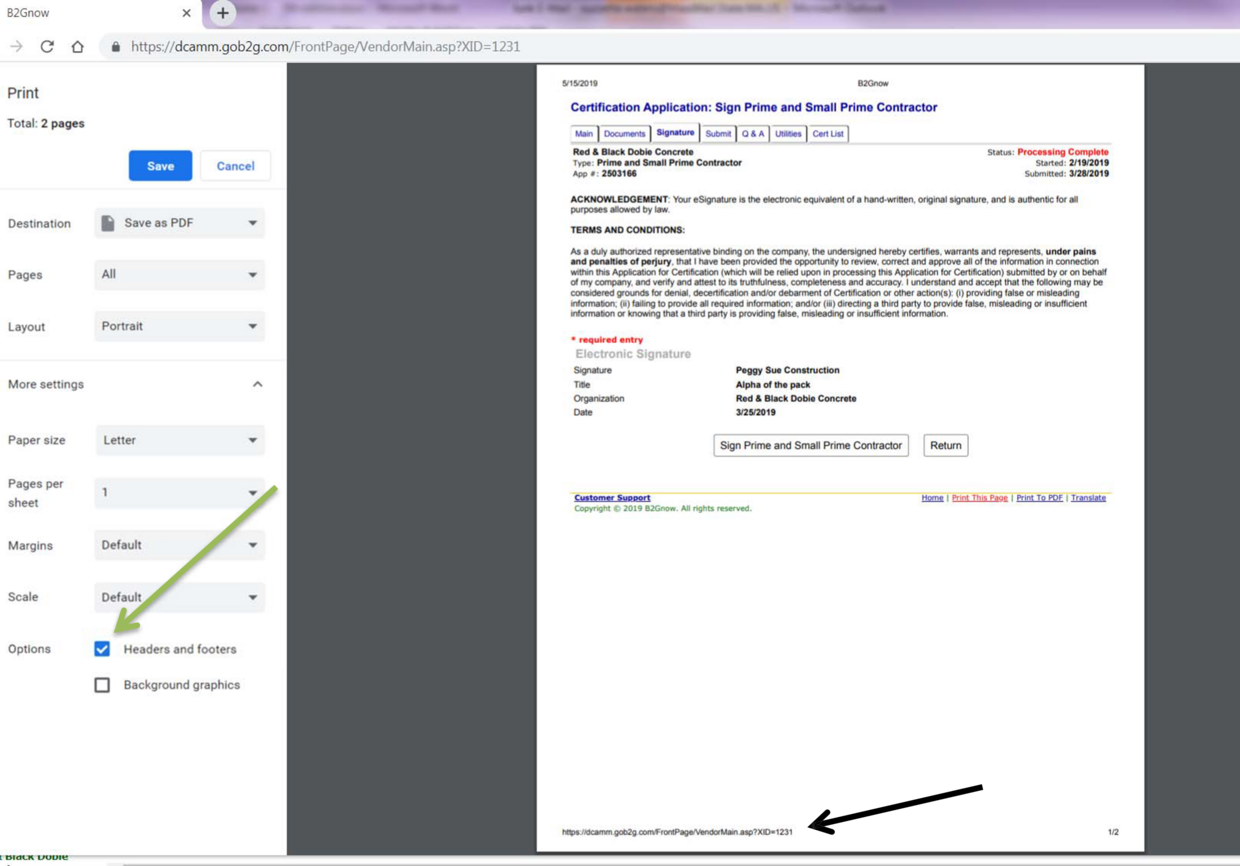
- In Destination, you can select your printer or Save as PDF Now you have your signature page only!
Contact
Online
Certification Main Email
Email DCAMM Contractor Certification Office at certification.dcamm@mass.gov
Phone
Certification Main Number
Call DCAMM Contractor Certification Office, Certification Main Number at (857) 204-1305
Leave a Message