

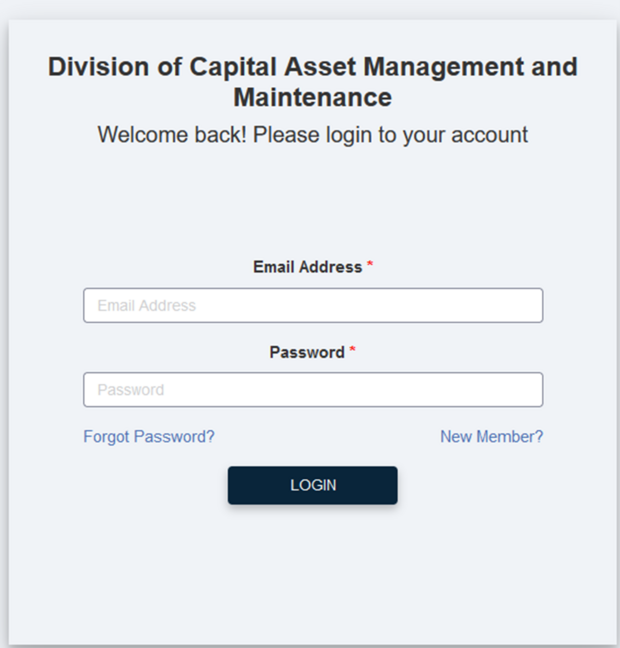
This is the login screen to access the online evaluation portal.
If you chose not to become a registered user, you can press the Home Button at the top of the screen to start the evaluation process.

If you run into difficulty at any time, you can Contact Support at the top of any screen.
By using this entrance, you will not be able to save and come back to complete the evaluation, it must be done in one sitting.
You will not be able to respond to questions within the system if a DCAMM Compliance Officer may have about your answers.
You will not be able to access evaluations you previously submitted.
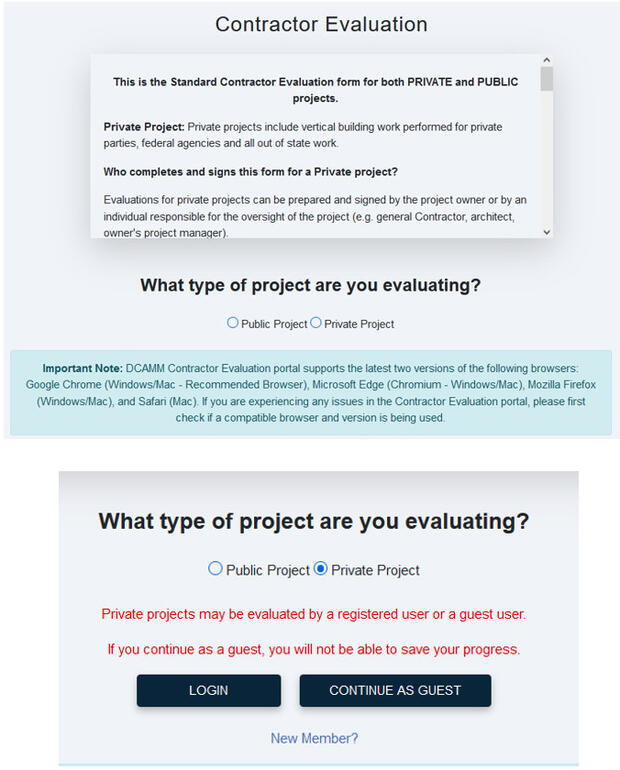
Public Project – are projects that are put out by a Public Entities within the Commonwealth of MA and governed by Mass General Laws.
Private Project – are projects that are put out by private citizens, private organizations, all other states or the Federal Government.
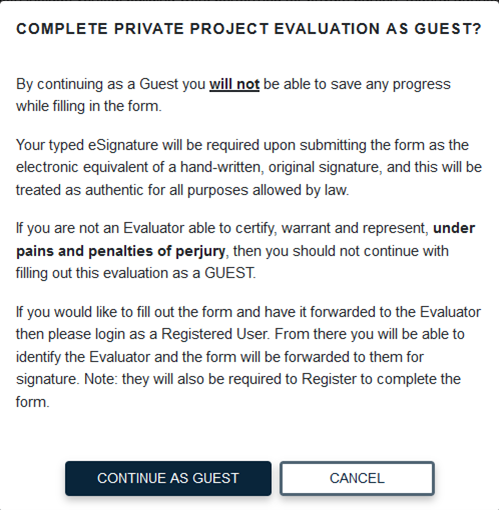
Disclaimer box will appear letting you know you will not be able to save your evaluation as a guest. It will have to be completed in one sitting.
Continue as Guest if this is okay.
Cancel if someone other than you must approve, sign and submit the evaluation.
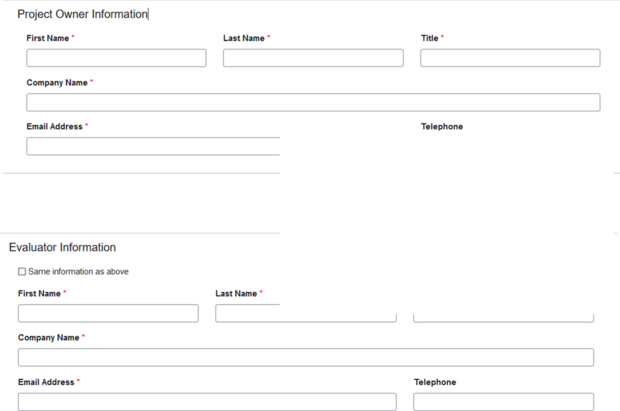
Project Owner is the person/organization that owns the property were the project is being done.
Evaluator Information is the person that can best evaluate the contractor’s performance on the project.
If they are the same person, check the Same Information as above checkbox and the Evaluator Information will auto-populate with the information from the Project Owner.
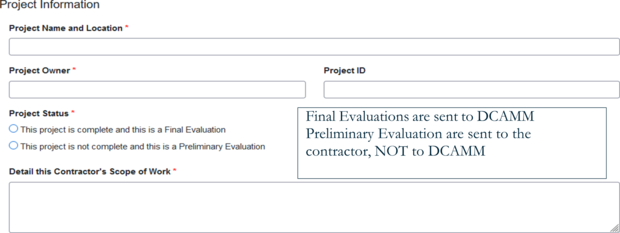
Final Evaluations are sent to DCAMM Preliminary Evaluation are sent to the contractor, not to DCAMM.
Project Name and Location – Be as specific as possible. This allows us to distinguish one project from another. Distinctive project titles eliminate questions and vagueness.
Project ID – If you have one, list it, this assists us with project ambiguity.
Contractor’s Scope of Work - This field should describe the work that a contractor performed on a project pursuant to its contract. The scope should be specific to each contractor who worked on a project.
One evaluation per contract. If a single contract covers more than one Scope of Work for a single contractor, that should be noted in the Scope of Work.
If there is more than one Scope of Work and they are covered under separate contracts, there would have to be two separate evaluations: one for each Scope of Work.
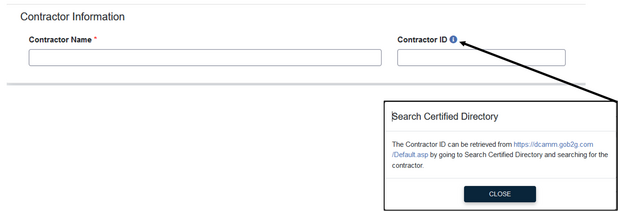
If you are unsure of a contractor’s certification ID you can click the blue dot and be taken to our Online Directory, type in the contactor name and get the ID from there. This will ensure that evaluation is applied to the correct contractor.
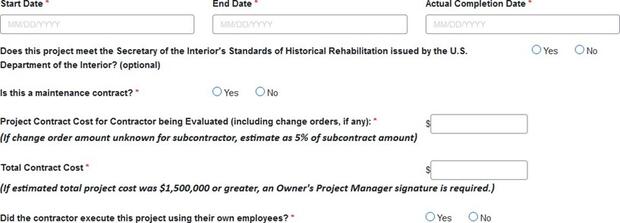
Maintenance Contract - Completion of a maintenance contract means that the full term of a maintenance project is complete. Maintenance contracts with automatic extensions do not qualify until the entire contract is complete.
Project Contract Cost for Contractor – Was the contractor part of a larger project? List the dollar amount for which they were contracted.
Total Contract Cost – The full cost for the whole project.
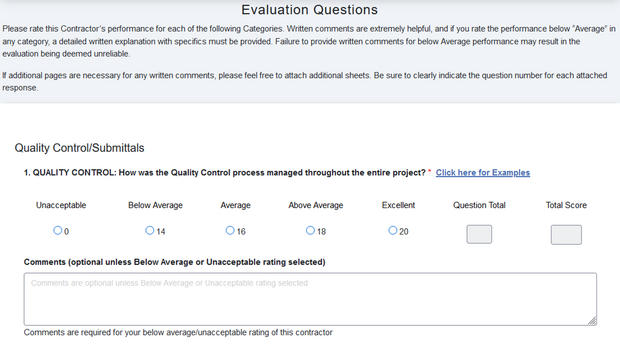
This is the beginning of the evaluation form and a representation of the way the questions are set up. By selecting the appropriate response to the question, the form will automatically score the evaluation. If you select a rating of Unacceptable or Below Average, you will be required to add a comment as to why you chose that rating. Kindly be as detailed as needed. You will be able to attach any additional documents at the end of the evaluation to support your response, if needed.
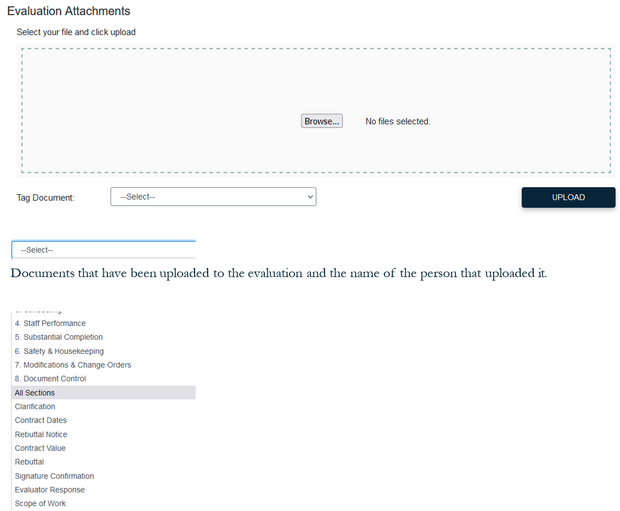
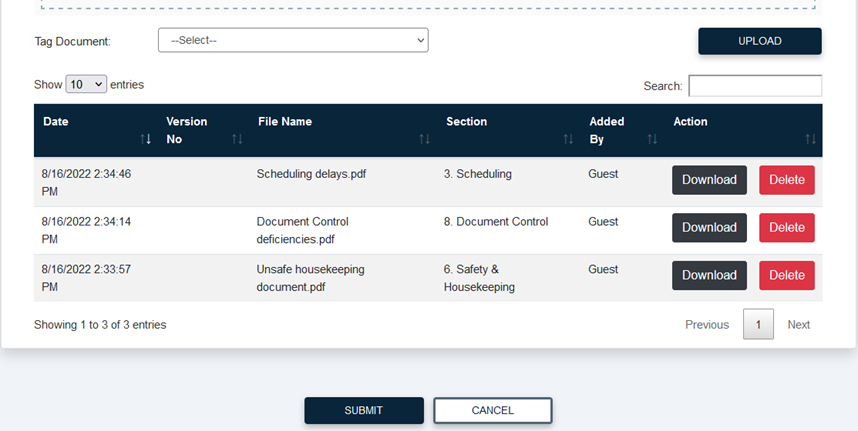
If you have attachments, you would like to include within a particular question of the evaluation form you can do that by selecting the correlating section and uploading the document (see Tag Document drop down list).
You can add documents to each evaluation question, if needed.
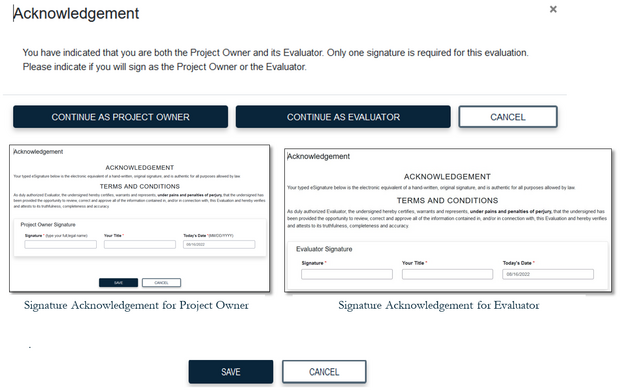
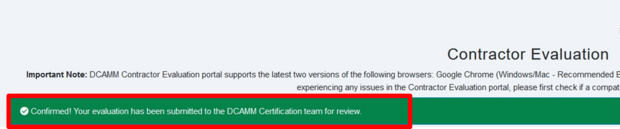
Once you have saved the evaluation you will be brought back to the Welcome screen, and you will see a green bar across the top confirming your evaluation has been submitted to DCAMM Certification.
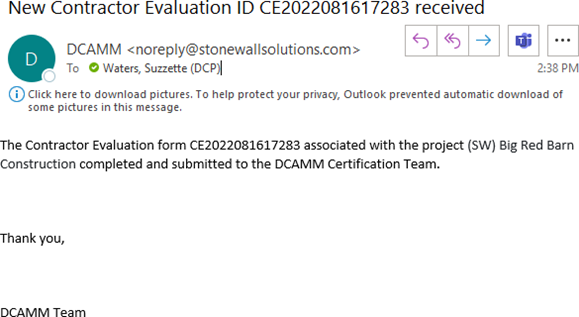
You will also receive an email from the Evaluation Portal confirming the submission of the evaluation with the name of the project.
Contact
Online
Phone
Leave a Message