
What is an informed consent form?
When you run a research study with constituents, you need to have them sign an informed consent form. This is often just called a consent form.
The consent form helps study participants understand:
- Why you're doing the study
- What it means to participate (what they'll do, what you'll ask them about, etc.)
- Their rights as a participant
- How you’ll use and store the information they share
- That their participation is voluntary, and they can stop the interview at any time
You'll document this consent before including a participant in your study. This guide includes 2 versions of a template: as a document and as a Mass.gov Forms (Gravity Forms).
Note: If your session includes a helper (e.g., an interpreter), you'll also need to collect their consent to record.
Quick actions: Download a consent form template
Subsequent sections explain how to use each template in your research.
How to collect consent
Deciding how to collect participants' informed consent should be part of your study design. If you’re conducting your study in person, you can collect informed consent via your Mass.gov Form on a device connected to the internet, or on a physical paper form. If you’re going to use a physical paper form, save it as a PDF after you’ve updated the template form and print it.
Here are some of the benefits of choosing a web form (e.g. using Mass.gov Forms) or a PDF.
Use a web form
The reasons you might choose to use a web form include:
- Reduced administrative work: Easy to distribute, easy to collect metadata (such as signature timestamps)
- "Required fields" can prevent incomplete submissions
- More accessible, including for people on mobile phones
- Enables remote research and multilingual access (i.e. people can use their browsers to translate the form)
- Data from submitted web forms tends to be more reliable and easier to track
You might use a PDF if:
- You're using a research platform like Maze that requires a PDF
- You need to print records of consent
- Your legal department requires “wet signatures,” such as with studies involving minors or vulnerable populations
- You need to print a copy for participants
- Your research takes place somewhere with limited internet access. (You can store files on a local device.)
Recording sessions that include helpers
Some research sessions may include helpers. For example, you may have an interpreter or someone who's assisting with accessibility. You should get written confirmation from the helper that you're recording them, too.
The Word version of the consent form template includes space for a helper's signature. If you're using a web form, you could have the helper fill out their own copy. If you're providing the helper (rather than the participant bringing their own), you could also collect their permission in an email.
You should already know about the helper from the participant's screening survey, which should include questions about the participants' testing needs.
What to do with consent forms once they're signed
- Store securely in an access-controlled folder (SharePoint, secure drive). Scan paper copies and store securely.
- Log consent in your study tracker (participant ID/pseudonym, date, format, any restrictions on consent, and storage location)
- Confirm that every participant has a matching consent record before inviting participants to your research activity
- Separate identity from research data. Use participant IDs to track consent.
- Retain consent forms for as long as your legal team requires you to. Typically, this is at least until the end of the study.
- Make a copy available to participants
- Destroy email or physical copies once you've stored the data digitally
Using the document template
To use this template:
- Download the informed consent form template
- Update the file name (ex. “[study name/purpose] Informed Consent Form”)
- Update the document's title to include your study's title
- Replace all bracketed, highlighted text with information appropriate for your organization and research study
- Review the final result carefully to make sure you have removed any remaining template language
- Save your final version somewhere like SharePoint or Confluence so it can be shared and accessible to your entire team
We're happy to help you craft a consent form that's right for your study. Sign up for an experience research consult for help.
Using the Mass.gov Forms (Gravity Forms) template
Download the digital form template
Note: This template is a JSON file. Your browser may try to open it rather than download it. If it does, you can open the link's context menu (or right click) and select "Save link as" to download it instead.
Download the Gravity Forms template to collect consent digitally. Using the template this way can be helpful if you're not using a platform like Maze that requires a PDF. A digital form can also help with in person studies. You can have participants fill one out on a device on site.
How to use this template with Mass.gov Forms (Gravity Forms)
- Download the Gravity Forms template to your device. (That is, download the file, don't open the file in your browser.)
- Log in to Mass.gov Forms
- Go to “Forms” and then “Import/Export” from its submenu
- Select “Import Forms”
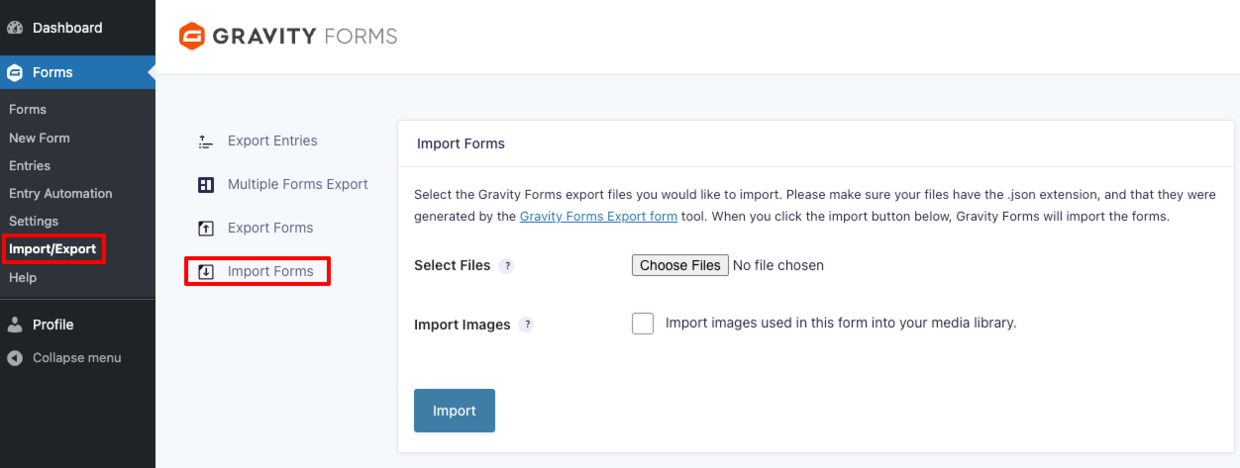
- Select “Choose Files” and select the template form you downloaded titled “XR Template_Gravity Forms Informed Consent Form.json”
- Select “Import”
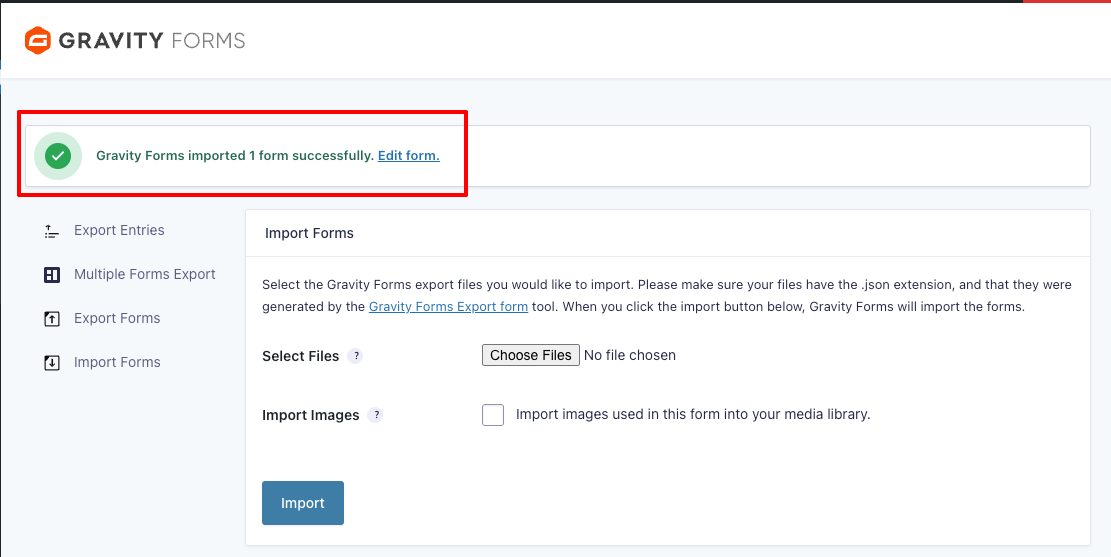
- It may take a few seconds before the success message appears at the top of the page. Once it does, select “Edit form.”
Update your Gravity Forms consent form
- Change the form’s title to match your consent form’s file name (e.g. “[Study] Informed Consent Form”)
- Copy your form’s text through the full “Participation Acknowledgement and Recording Consent” section and paste that into "Text block 1"
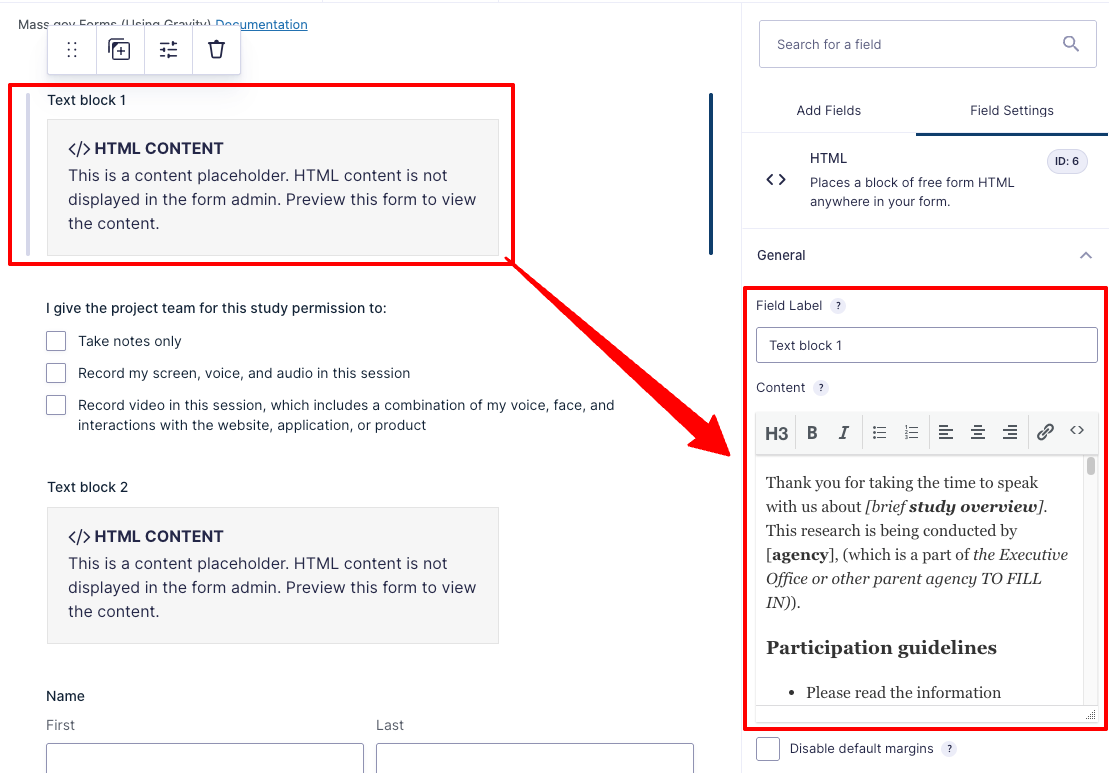
- Update the “I give the project team for this study permission to:” checklist as needed for your study
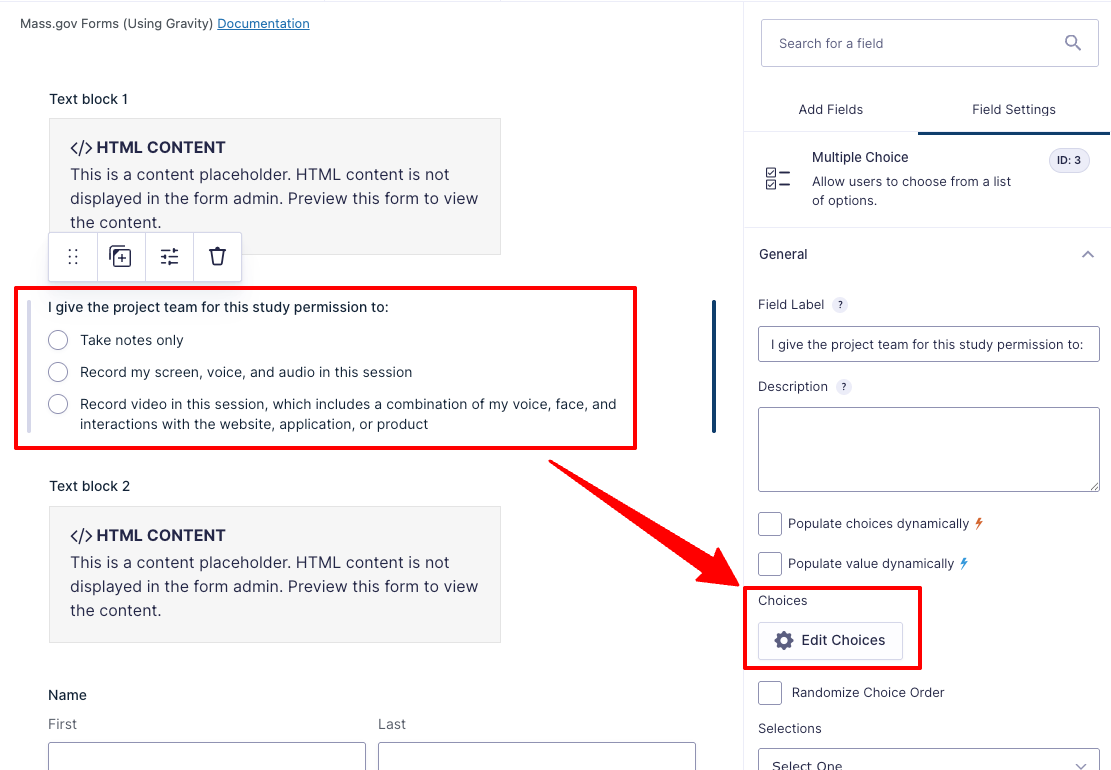
- Copy the remaining text before the signature section and paste it into "Text block 2”
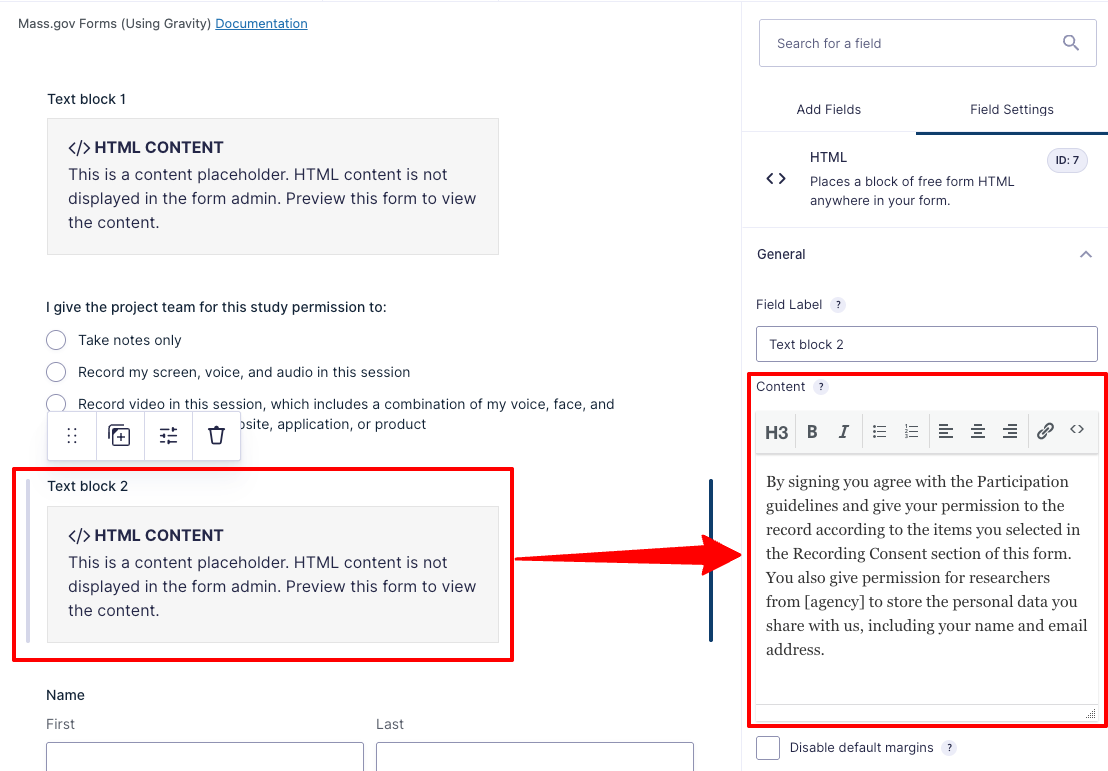
- Keep the name and date fields as-is. Users will “sign” the form by typing in their name, and the date will automatically populate.
Final steps before publishing your form
- Set up email notifications for your team to ensure team members responsible for managing participant information receive submission emails
- (Optional) Update your confirmation message
- The default message displayed: “Thank you for your submission. We've received your consent. Our research team may contact you with any additional details.”
- Follow these instructions to embed your form on Mass.gov
Here's an example of this form.