
The Land Court can now conduct hybrid court proceedings. These are court proceedings where some parties appear in person at the court while others appear remotely by videoconference (like Zoom). The court uses a Polycom tablet, a large courtroom display monitor, and a Wolfvision document camera projector for hybrid proceedings. The projector allows a user to display physical (paper) or electronic (digital) documents to remote Zoom participants and to people in the courtroom at the same time. The court calls these tablet/monitor/projector setups “Polycom systems.” They are in Land Court Courtrooms 401, 404, 1101, and 1102.
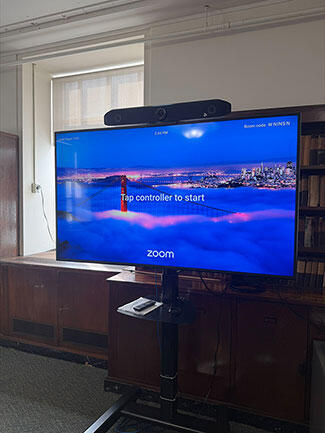
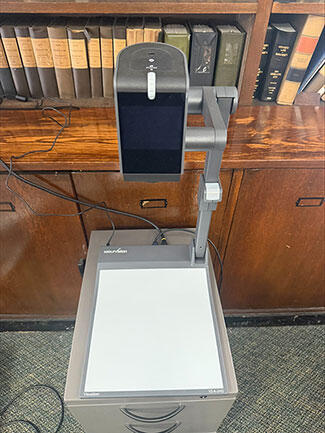
Use of Polycom systems and display of audio or video evidence
The Land Court's Polycom systems can display audio and video recordings (as well as paper and digital documents) using the projector. To ensure each party's presentation runs smoothly, please consider the following:
Hardware and software requirements
The court does not provide technical support or playback devices. Parties must bring and operate their own equipment. This includes: a laptop or a USB flash drive; all power cords and USB video/UVC compatible or HDMI adapter cables needed to connect your device to the projector; and pre-installed media players or viewing software.
Connectivity and offline access
Wi-Fi internet connectivity may or may not be available in the courtrooms. Before you come to court, you should download and store locally on your laptop or USB flash drive all exhibits, audio or video recordings, and digital files.
System testing is available upon request
To avoid technical delays during proceedings, parties should test their equipment beforehand. Please contact the court's Sessions Clerk to schedule a time to test your equipment with the courtroom's Polycom system.