
Updated: June 2, 2022
1-D barcodes
1-dimensional (1-D) barcodes appear on Department-created forms and schedules, as well as on forms and schedules created by tax preparation software and Web applications.

These barcodes contain information about the documents such as:
- Form type
- Tax year
- Origin
1-D barcodes look similar to UPC symbols that appear on everyday products, such as CDs and laundry detergent.
Additional Resources
2-D barcodes
All personal income and corporate excise tax forms and schedules also use 2-D barcodes. Unlike 1-D barcodes, 2-D barcodes appear after these forms are prepared using certain tax preparation software. These barcodes are generated by the software when forms are printed and contain data gathered directly from the completed forms. When the forms arrive at the Department of Revenue, we capture the data using a 2-D barcode scanner.
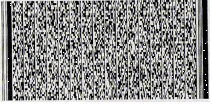
2-D barcodes will be:
- In the top right-hand corner of software-generated forms
- On the first page of an income tax return (for the entire return)
- On each page of a corporate excise return and the major schedules
Certain tax preparation software support 2-D barcodes:
Forms with 2-D barcodes will be prioritized and processed first.
If you hand-write or typewrite changes to forms with 2-D barcodes, this will delay processing. Instead, use the tax preparation software so that your changes and corrections are directly transferred into the 2-D barcodes, and then reprint your forms.
To avoid delays, send income tax forms with 2-D barcodes to:
| 2-D barcoded income tax refund/no payment returns | 2-D barcoded income tax payment returns |
|---|---|
| Massachusetts Department of Revenue P.O. Box 7000 Boston, MA 02204-7001 | Massachusetts Department of Revenue P.O. Box 7003 Boston, MA 02204-7002 |
Additional Resources
Contact
Phone
9 a.m.–4 p.m., Monday through Friday