
PFML exemption requests are now managed in the PFML Employer Portal
On July 1, 2026, the Department of Family and Medical Leave (DFML) introduced a new process for requesting and renewing private plan exemptions for Paid Family and Medical Leave (PFML). Employers now use the PFML Employer Portal to request PFML exemptions and renewals for purchased or self-insured private plans. PFML exemptions are no longer filed via MassTaxConnect. Read on to learn more or download our step-by-step resource about the new exemption request process.
How to renew your private plan exemption
You may begin the exemption renewal process during the last quarter of your current exemption period. (i.e., If your exemption expiration date is September 30, you can begin the renewal process starting July 1).
Step-by-step guide to renewing a PFML exemption
Step 1: Visit the PFML employer portal
Create an account or log in to your existing employer account.
Step 2: Find your organization
From the Welcome page, go to the “Organizations” tab. If you are new to the PFML employer portal, you may need to use your MassTaxConnect PFML account ID to verify your organization. You can fill out this form for assistance if you have trouble verifying your organization within the PFML employer portal.
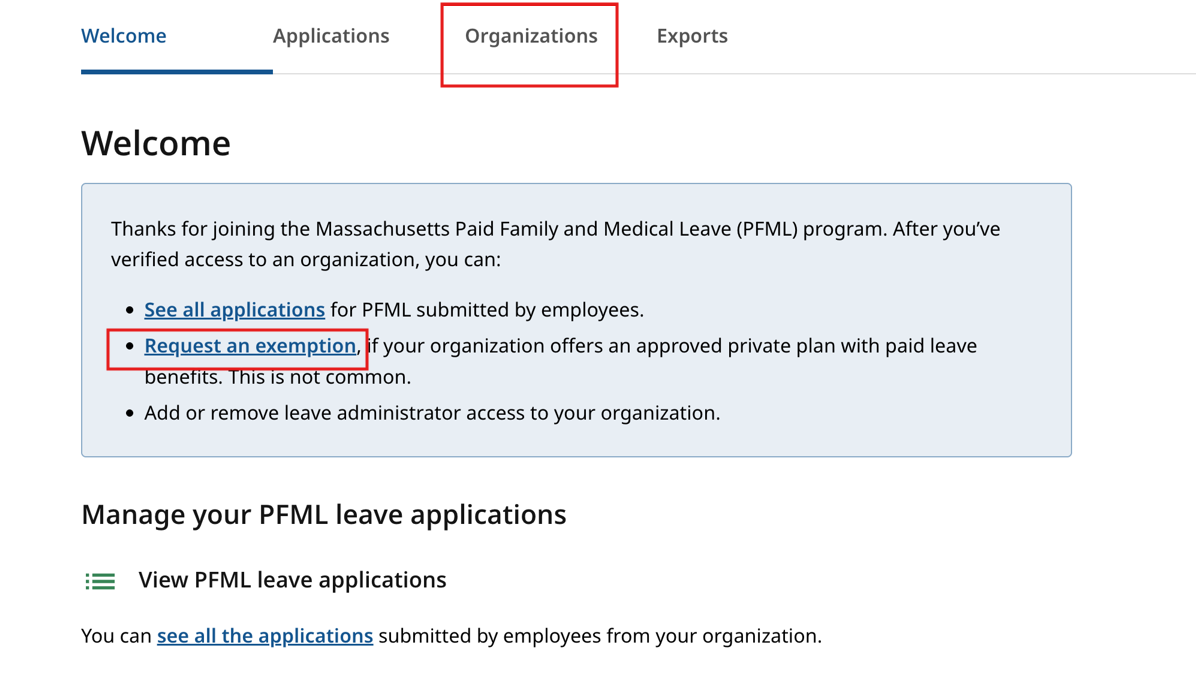
Step 3: Manage exemptions
Navigate to the “Exemptions” tab. If the EIN associated with your organization has a history of PFML exemptions, this tab will show past approved exemptions, including coverage type and effective dates.
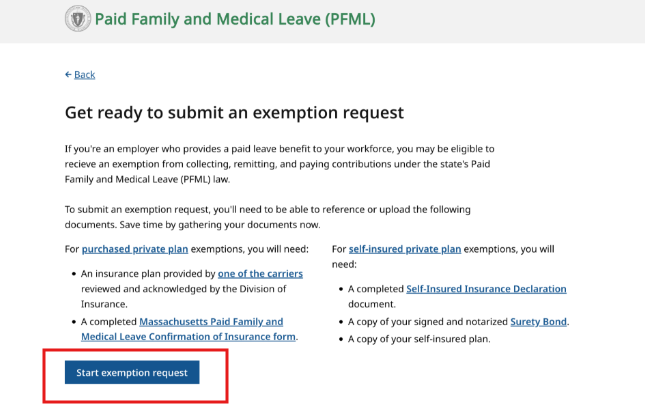
Step 4: Start a request for a renewal of an existing exemption
In the “Exemptions” screen, select the “start new request” button. You will be taken to an acknowledgment page. Then you can begin your request. You may be asked for the following information:
- Contact Information: your name, title, phone number, and email. Also, the contact info for your third-party administrator, if applicable.
- Organization information: including workforce size.
- Plan information: coverage type and effective dates.
- Supporting documents: upload proof of paid leave benefits plus:
- A completed Confirmation of Insurance (COI) form for fully insured plans, or
- A Surety Bond form and Self-Insured Insurance Declaration for self-insured plans.
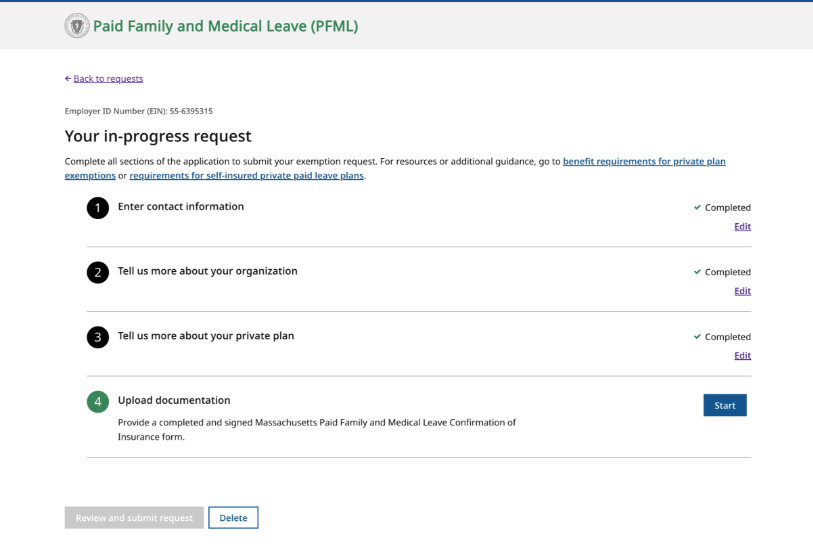
Step 5: Review and Submit
After submission you will receive an email with updates on your request.
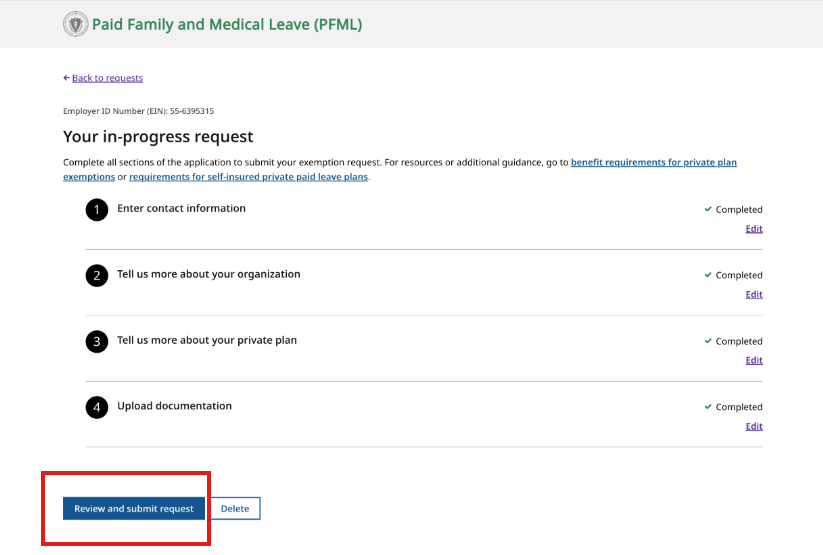
If you do not plan to renew your private plan exemption
If you do not intend to renew your employer exemption, you must notify the covered individuals and DFML no later than 30 calendar days prior to the exemption expiration date. You may notify DFML by completing this form.
Learn more about switching from a private plan to Paid Family and Medical Leave.
Additional Resources for Exempt Employers
- If you are renewing your exemption with a purchased private plan, please see requirements for purchased private plans.
- If you are renewing your exemption with a self-insured plan, please see requirements for self-insured private plans.
- Watch a walk-through video of the exemption request process.
Contact
Phone
Department of Family and Medical Leave - Hours of operation: Monday-Friday, 8 a.m. - 4:30 p.m.
Department of Family and Medical Leave - Hours of operation: Monday-Friday, 8 a.m. - 4:30 p.m.
Department of Revenue - Hours of operation: Monday-Friday, 8:30 a.m. - 4:30 p.m.