
Electronic Data Interchange and Payment Rates
Electronic Data Interchange
Electronic data interchange (EDI) is a process that facilitates the exchange of data in a standardized message format between two computer systems. EDI is the industry standard terminology for electronic transactions.
EDI specifications and instructions to submit electronic transactions to MassHealth are based on the following documents:
- ASC X12 Standards for Electronic Data Interchange Implementation Guide
- MassHealth Standard HIPAA Companion Guides
- MassHealth billing instructions (as applicable)
MassHealth supports the following types of Health Insurance Portability and Accountability Act (HIPAA) EDI transaction:
- 270/271: Health Care Eligibility/Benefit Inquiry and Information Response
- 276/277: Health Care Claim Status Request and Response
- 820: Health Care Premium Payment
- 834: Health Care Benefit Enrollment and Maintenance Outbound
- 835: Health Care Payment/Remittance Advice
- 837I: Health Care Claim: Institutional
- 837P: Health Care Claim: Professional
MassHealth will generate a 999 acknowledgment upon receipt of an electronic file. The 999 is a HIPAA transaction that acknowledges the receipt of a standard transaction and identifies whether it will be accepted or rejected for downstream system processing.
For more information on the 999 acknowledgment, including how to resolve issues and whom to contact for assistance, please go to the EDI FAQ.
Any MassHealth provider who intends to submit HIPAA EDI transactions to MassHealth must test each transaction with MassHealth before submitting any transactions. Find out about HIPAA testing requirements at our MassHealth HIPAA EDI Testing Process web page.
MassHealth maintains the EDI Vendor List, which provides the names, phone numbers, transaction types, and services of vendors that are approved to submit electronic HIPAA-compliant transactions to MassHealth. If you need help submitting claims, you can hire a third party from the list of approved vendors.
If you have questions about policies and procedures for testing or submitting HIPAA EDI transactions, or need technical support, contact MassHealth Customer Service at (800) 841-2900, TDD/TTY: 711 and follow the menu prompts for EDI transactions, 8:00 a.m. through 5:00 p.m. Monday through Friday, excluding holidays, or email edi@mahealth.net.
Payment Rates
Provider rates are established in Executive Office of Health and Human Services (EOHHS) regulations under Title 101 of the Code of Massachusetts Regulations, which reflect MassHealth rates. Review them before providing any services to MassHealth members. You should also check the provider manual for your provider type to confirm that a service is covered, since the rate regulations are a repository of codes that do not necessarily reflect covered services. To check rate information, please review the EOHHS regulations.
Eligibility Verification Reminder
Providers must verify eligibility before providing services to members. By verifying a member’s eligibility on the day or date range of service, providers may be able to reduce the risk of their claims being denied because of eligibility issues. Eligibility Verification System messages indicate health plan information providers need in order to submit claims accurately.
Claim Submission
- If you are a fee-for-service provider, submit electronic-only claims directly to MassHealth. Paper claims will not be accepted unless providers meet the criteria and have an approved electronic claims waiver.
- For Primary Care Clinician (PCC) Plan and primary care accountable care organization (PCACO) members, submit electronic-only claims directly to MassHealth, except for behavioral health (BH).
- For members whose coverage includes the Massachusetts Behavioral Health Partnership (MBHP)—including members of the PCC Plan and PCACOs—submit BH claims directly to MBHP.
- For managed care organization (MCO) members, submit claims directly to the MCO.
- For Accountable Care Partnership Plan (ACPP) members, refer directly to the applicable ACPP for claim submission instructions.
- For integrated care plans (meaning One Care, Program of All-inclusive Care for the Elderly, and Senior Care Options plans), refer directly to the applicable integrated care plan for claim submission instructions.
- Do not submit dental and pharmacy claims through the Provider Online Service Center (POSC). The process for submitting dental claims is described below. Pharmacy claims must be submitted through the Pharmacy Online Processing System.
Dental Claims
All dental claims must be submitted electronically (unless you have a paper claim waiver on file) directly through the Dental Program Portal.
Timely Submissions
MassHealth must receive initial claims within 90 days of the service date unless it has issued other guidance. If the member has other insurance, the provider must bill the other insurance carrier before billing MassHealth, and the claim must be submitted within 90 days from the date of the primary insurer’s explanation of benefits (EOB). For claims that are not submitted within the 90-day period but that meet one of the exceptions in 130 CMR 450.309(B), a provider must request a waiver of the billing deadline (a 90-day waiver) under the billing instructions provided by MassHealth. Refer to MassHealth All Provider Bulletin 233 for more information.
Electronic claim submission options available to providers:
- direct billing—direct upload of electronic data interchange batch claim files through the POSC
- vendor (billing intermediary or clearinghouse) that submits claims on your behalf
- direct data entry (DDE) of claims through the POSC
The final deadline for submission of a claim is 12 months from the date of service, or 18 months from the date of service if the member has another insurance carrier billed before MassHealth. For more information on final deadline appeals, please see All Provider Bulletin 232 and All Provider Bulletin 300.
Learn more on our web page about billing timelines and appeal procedures.
Claim Attachments
For certain services, MassHealth requires other forms and documentation. Some services require submission of an attachment with the claim; others may require the documentation to remain on file in the member’s medical record. See the applicable program regulations in the MassHealth provider manuals for specific reporting requirements. Attachments that must be submitted with a claim must be submitted using DDE only. Some services that require a submission of an attachment must be submitted with a delay reason code. Please refer to the manual for the applicable provider type and 130 CMR 450.000.
Medicare Crossover Claims
After Medicare has made a payment or applied the charge to the deductible, the Medicare Benefits Coordination and Recovery Center will automatically transmit claims for dual-eligible members (members with both Medicare and MassHealth) to MassHealth for adjudication. A claim must contain at least one Medicare-approved service line in order to be crossed over automatically in its entirety to MassHealth. For Medicare crossover payment methodology, please refer to 130 CMR 450.318. Providers may directly submit electronic claims for dual-eligible members to MassHealth using the 837 Transaction or the POSC if one of the following statements is true.
- The member has other insurance in addition to Medicare and MassHealth.
- The member’s Medicare claim has not appeared on a MassHealth crossover remittance advice (RA) and/or the claim cannot be located in the POSC during a claim status inquiry.
- Medicare has denied all services.
Providers must follow the instructions in the CMS Health Insurance Portability and Accountability Act (HIPAA) Implementation Guides and MassHealth Standard HIPAA Companion Guides.
Claim Status
The claim status inquiry function in the POSC allows you to verify the status of a claim submitted to MassHealth. After MassHealth processes a claim, the claim is given a 13-digit internal control number (ICN). Providers can upload a 276 batch file and download the 277 response (HIPAA transaction sets) for the status of the claim through the POSC or through DDE claim status panels.
The status is also available on the MassHealth issued RA.
Claim Denials and Suspensions
Denials
Denied claims (both batch and DDE) contain edit codes that describe the denial reason. These claims must be reviewed, corrected (if applicable), and resubmitted to MassHealth within the appropriate timeframe.
Suspensions
A suspended claim is a claim that requires review before final adjudication. When a claim appears as suspended on an RA, the ICN assigned to the claim will remain the same throughout the processing cycle. You should post the claim as received by MassHealth. Do not rebill the claim while it is suspended. The suspended claim will appear on a subsequent RA as paid or denied.
RA (Claim Status Reporting)
An RA is a report that provides claim processing status to providers, indicating whether the claim is paid, denied, or suspended (please see additional information above regarding denied and suspended claims). The RA is a helpful tool for reconciling accounts, as it reports the status of a claim submitted to MassHealth.
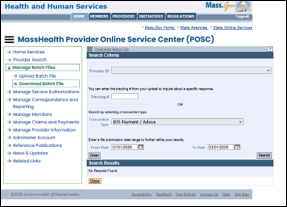
The RA is available in two forms: the 835 electronic RA and the downloadable PDF RA, which is available online for six months after it is posted. The 835 (HIPAA transaction) RA can be downloaded from the POSC by a provider who has a signed trading partner agreement on file with MassHealth. The PDF RA also displays information about claim status, although it appears in a format that is unique to MassHealth. Providers can review, download, or print the PDF RA in the POSC. Please refer to the POSC job aids. Dental providers should consult the Dental Program portal.
An applicable RA is given a six-digit run number each Tuesday, e.g., 100139 one week and 100140 the next week. Each week, the RA is posted on the POSC for providers.
MassHealth Provider RA Message Text Web Page
MassHealth has a list of message texts that have appeared on provider RAs.
| Date published: | July 29, 2022 |
|---|---|
| Last updated: | August 21, 2026 |